1
Automatic sensitive-information detection
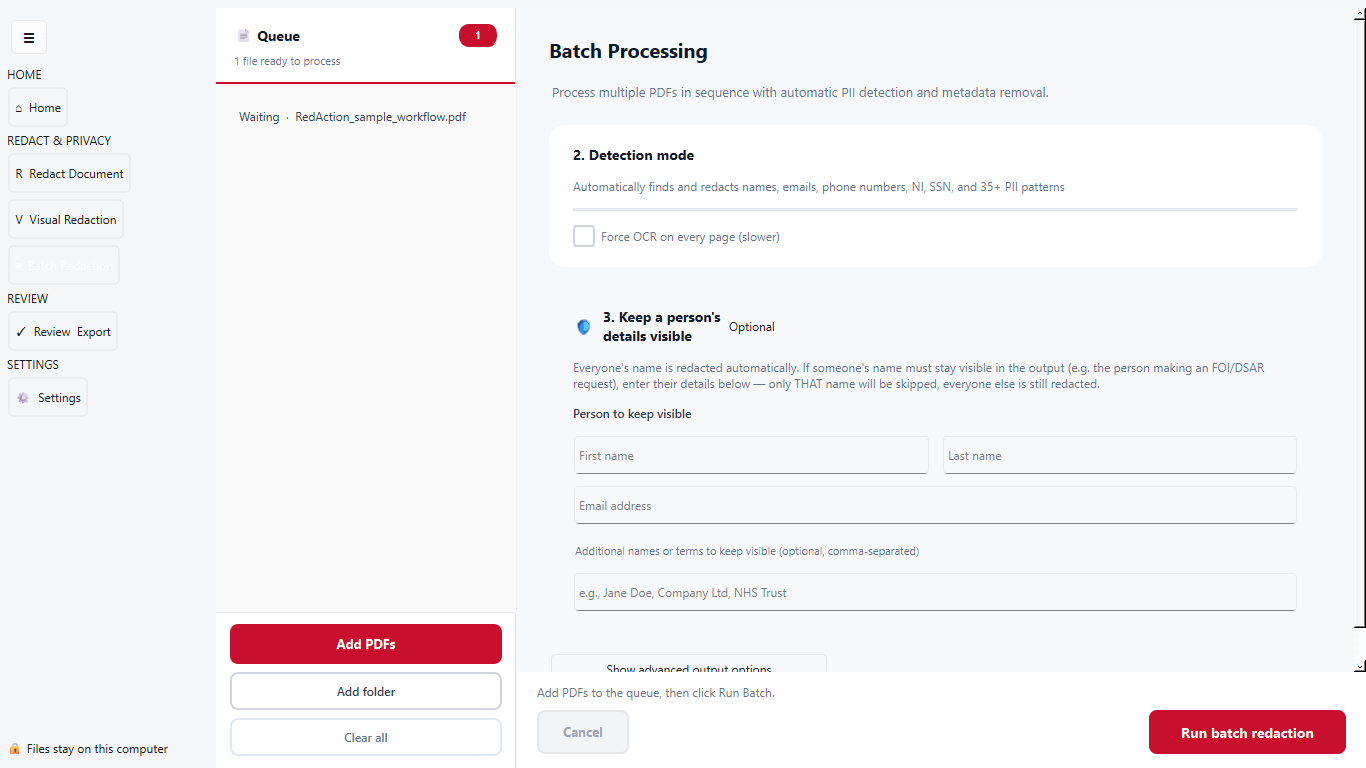
Find supported personal-information patterns in PDFs, with OCR for scanned documents.
RedAction PDF Tool
Try three documents free. Pay once for unlimited use.
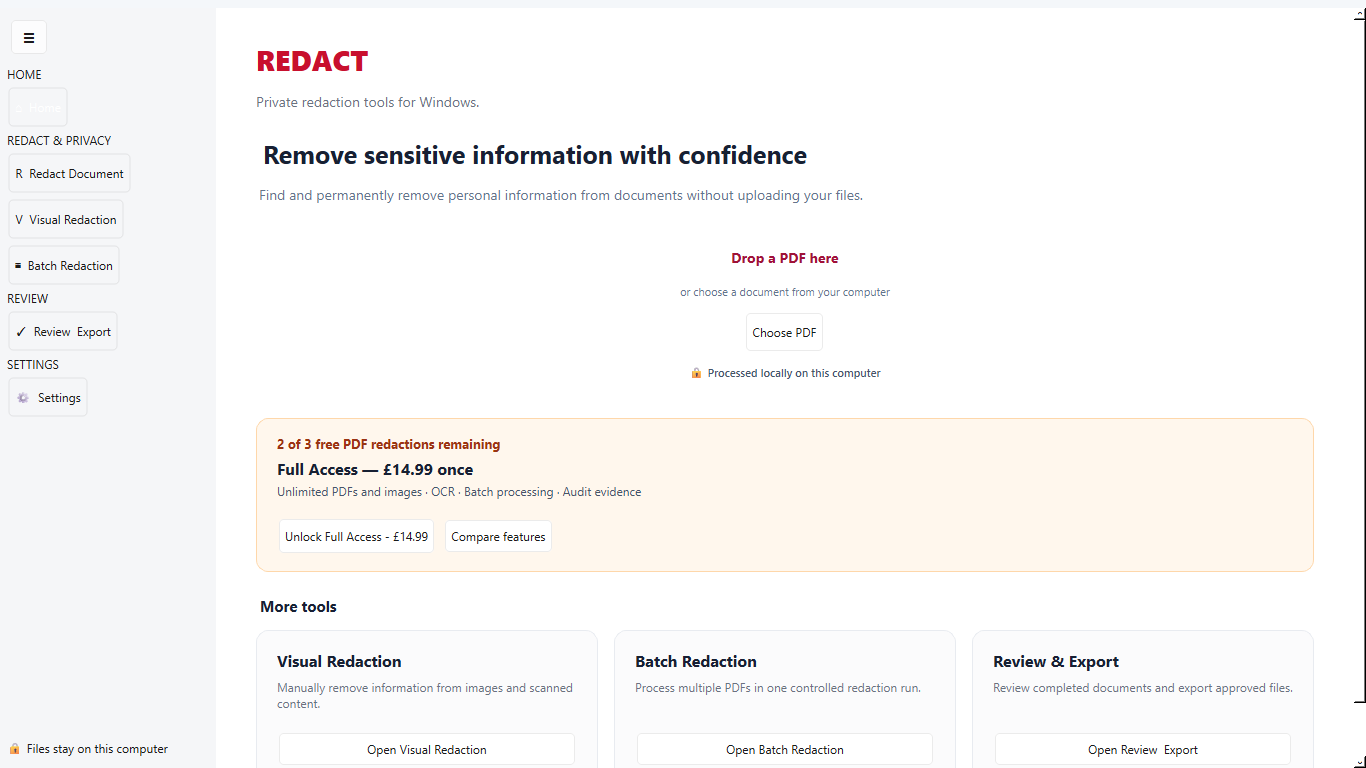
A clear PDF workflow
RedAction keeps the original PDF unchanged and creates a separate finished copy.
Find supported personal-information patterns in PDFs, with OCR for scanned documents.
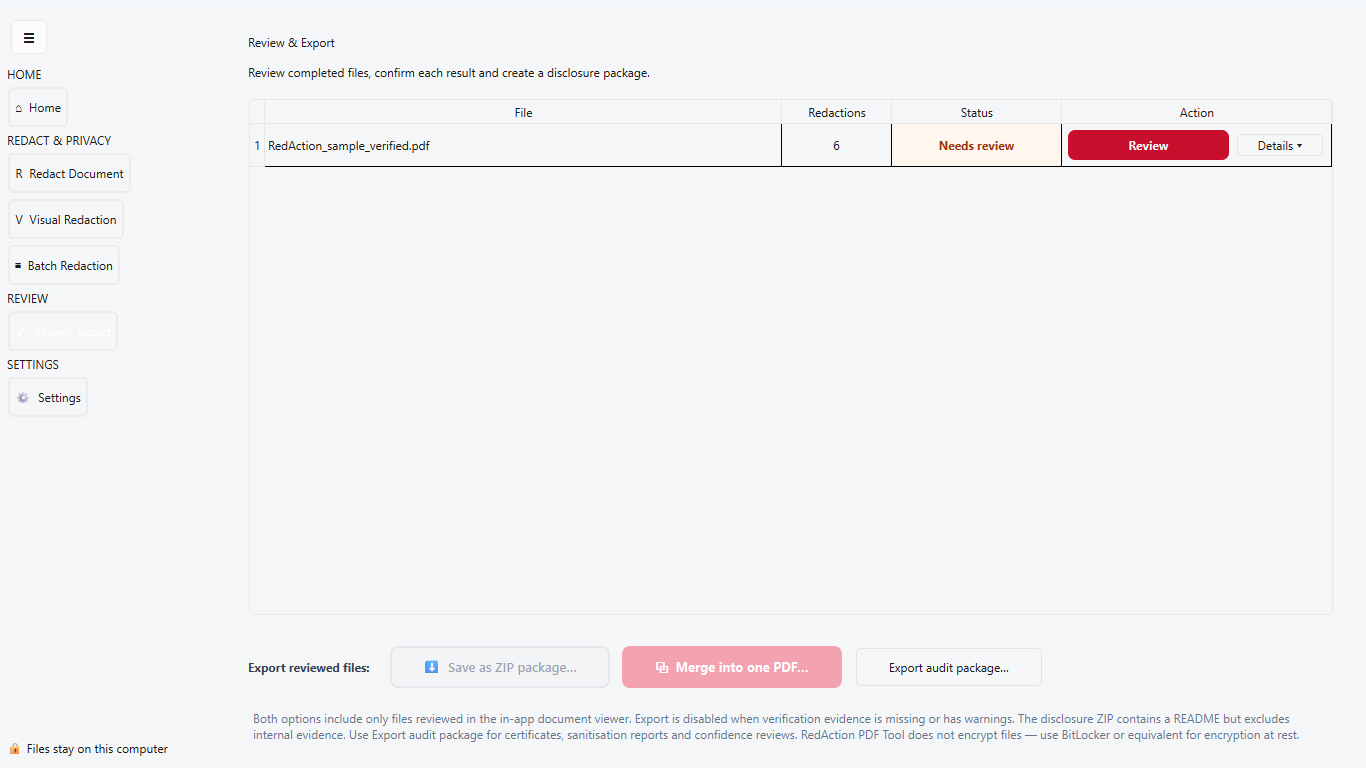
Review detections one at a time and choose Redact or Keep before processing the finished PDF.
Permanently remove selected PDF information, sanitise the output and inspect the recorded verification checks.
Coming in update 1.0.27
Explore detection, review and export with the included fictional sample before using one of your three free PDF redactions. Update 1.0.27 is prepared; Microsoft Store availability is pending.
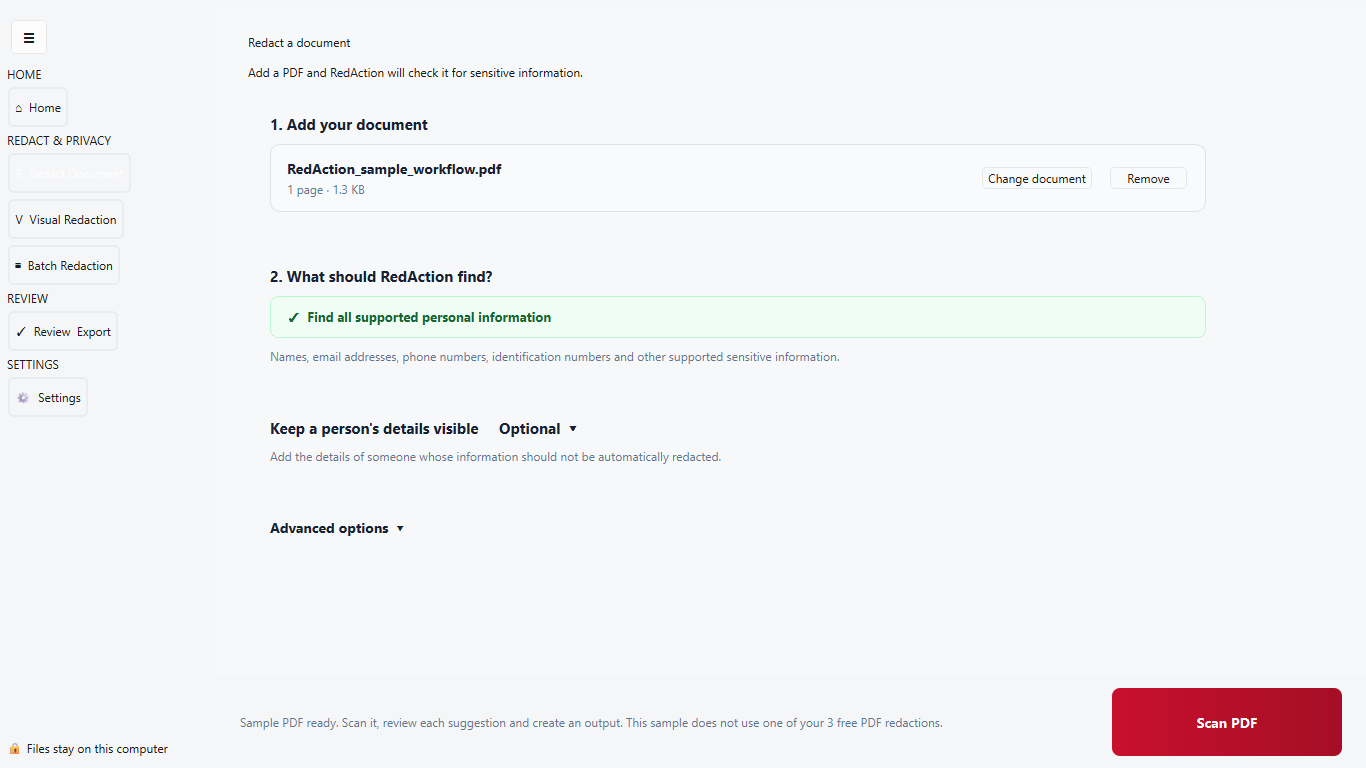
Try a sample containing a name, email, phone number, National Insurance number, date of birth and case reference. Review the suggestions, create a redacted copy and inspect the result. The sample uses none of your three free PDF redactions.
Detected items are presented for human review. Ambiguous business and technical findings remain review-only rather than being selected automatically.
OCR-derived findings are never automatically selected for redaction. You must explicitly choose Redact before they can be removed.
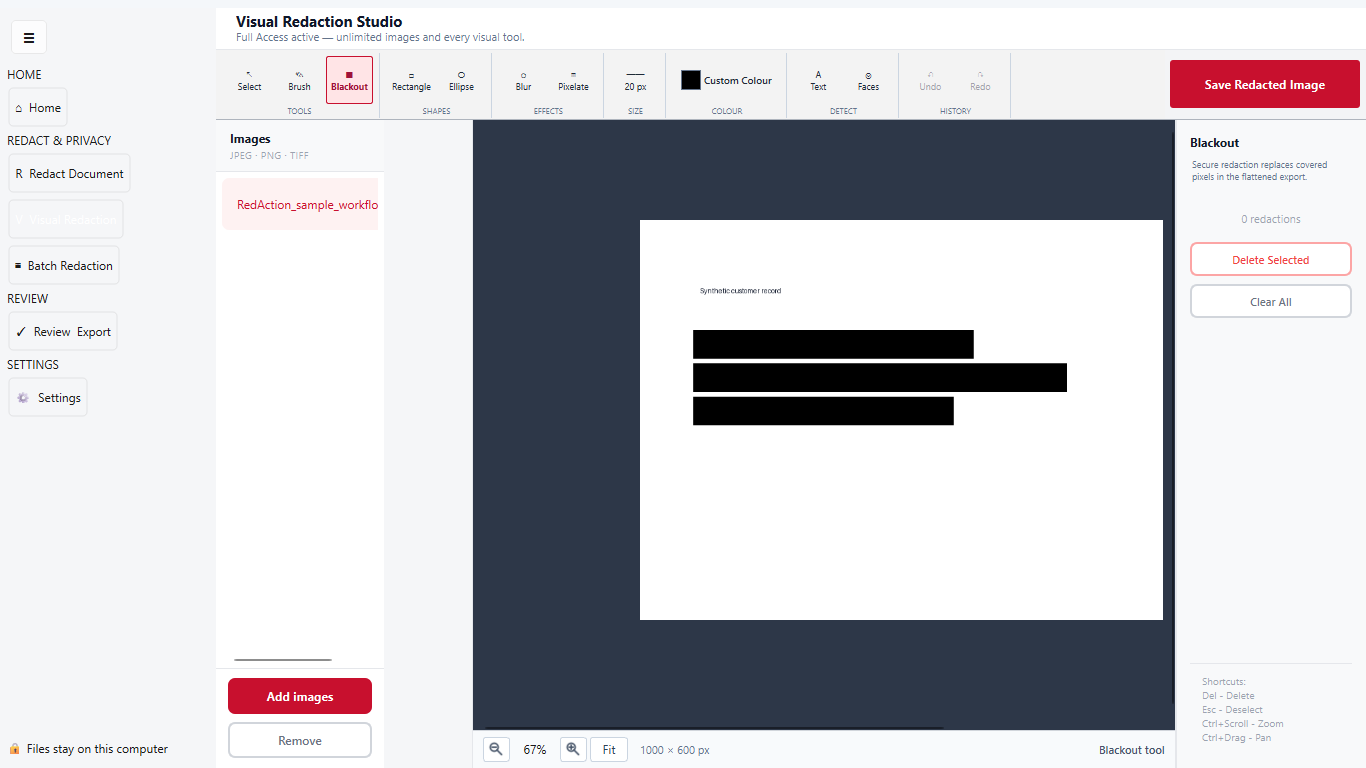
Visual image redaction
The Free edition includes one basic image-redaction demonstration using permanent black-out tools. Full Access unlocks unlimited images and advanced visual tools. Exported images are flattened into fresh raster files.
Important: Blur and Pixelate are visual effects and are not substitutes for secure PDF text redaction.
Simple pricing
Start with 3 free PDF redactions and one basic image-redaction demonstration. Full Access includes unlimited PDFs and images, OCR for scanned PDFs, batch processing, advanced visual tools, reusable profiles, and verification and audit evidence.
£14.99 in the UK; Microsoft Store shows the authoritative price for your region. No subscription.
Full Access evidence
Internal evidence remains separate from the redacted document you send to a recipient.
A PDF certificate created beside the completed document, with an accompanying decision log for the redaction run.
A readable view of verification, sanitisation, metadata warnings, file hash and recorded operator details.
A review record for detection confidence, including items that required human attention before completion.
Privacy first
RedAction processes files locally on Windows rather than uploading sensitive documents to a RedAction cloud service.
Read the privacy policyInside the application
Clear screens separate day-to-day redaction, visual editing and final review.
Common questions
No. You can complete 3 PDF redactions free. A use is counted only when a usable output is successfully produced. Corrections to the same unchanged source document are included while the app stays open. Scanned PDFs and essential verification are included.
Yes. Choose “Try with a sample PDF” in Getting Started. The fictional sample demonstrates detection, review and output without consuming your allowance. Update 1.0.27 fixes the sample button. In our check of this sample, default detection found all six intended details and applying those findings removed them without flagging unrelated text. This sample result is not an accuracy guarantee for other documents; review every page before sharing.
You can still review and export your completed documents. Creating an output for another new PDF requires Full Access, a one-time Microsoft Store purchase. Corrections to an unchanged source PDF are included while the same app session stays open. If you already purchased, choose Restore purchase.
Install RedAction from Microsoft Store, then select the Full Access purchase button inside the application. Microsoft displays and manages the one-time checkout, shows the authoritative final local price and associates access with the purchasing Microsoft account. Full Access is a one-time purchase with no subscription.
Yes. RedAction application code is distributed under GNU AGPL v3. The source and licensing page provides corresponding source and build records for the current release and retains historical versions. Full Access in the official build does not remove GNU AGPL rights.
No. Core redaction runs locally on your Windows PC. Internet access is used by Microsoft Store for installation, updates, purchase and entitlement checks—not to send document content to Beartalk.
RedAction applies actual PDF redactions when saving the result rather than merely placing a decorative shape over selectable text. You must still review every page before disclosure.
No. RedAction supports a controlled workflow, but the user remains responsible for checking accuracy, deciding what may lawfully be withheld and approving the final disclosure.
Visit the Support and technical information page for installation, update and troubleshooting guidance.
Free edition · no time limit
Try the included sample without using a credit. Full Access is a one-time Microsoft Store purchase with no subscription: £14.99 in the UK, with regional pricing shown by Microsoft.
Get RedAction from Microsoft Store