Permanent redaction
Blackout, blur, and pixelate sensitive details. Effects are flattened into your exported copy.
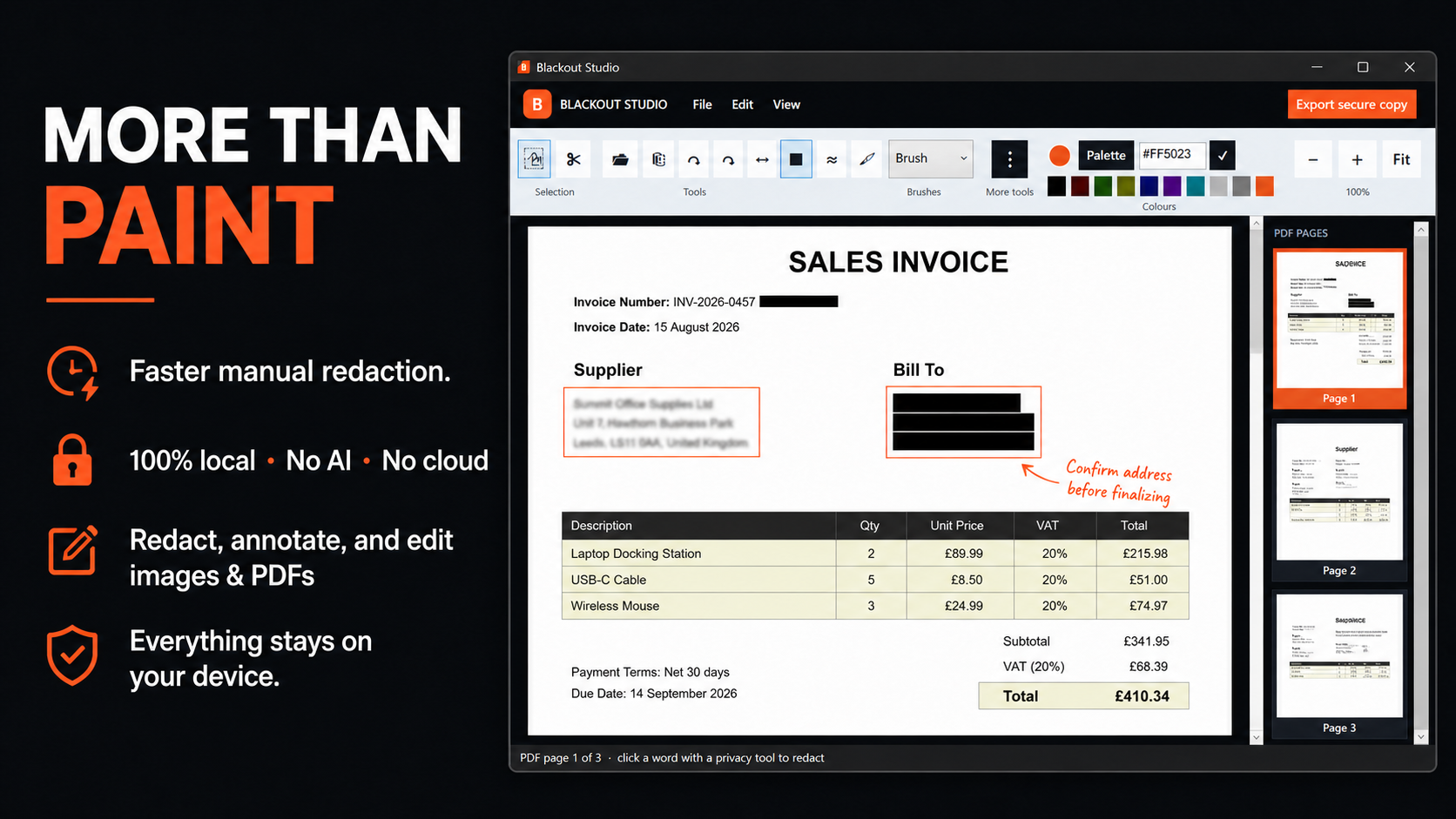
Prepare, annotate, and permanently redact screenshots and PDFs in one familiar local workspace.
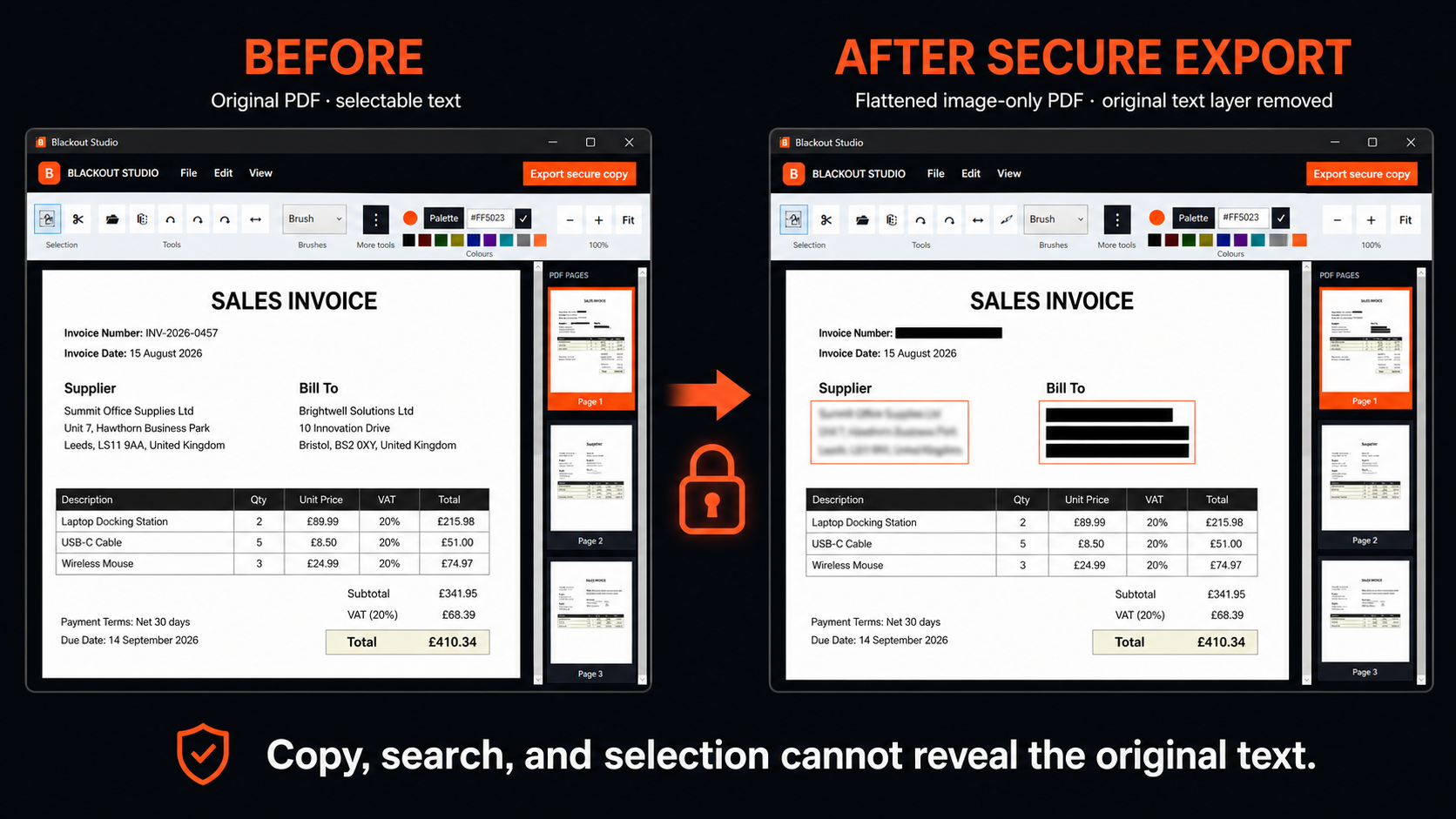
Blackout Studio rebuilds a secure PDF as flattened image-only pages. Original selectable text, searchability, links, annotations, and source metadata are not included in the finished copy.
A Paint-style ribbon keeps the essentials familiar, while privacy-focused tools make preparing documents much quicker than a general image editor.
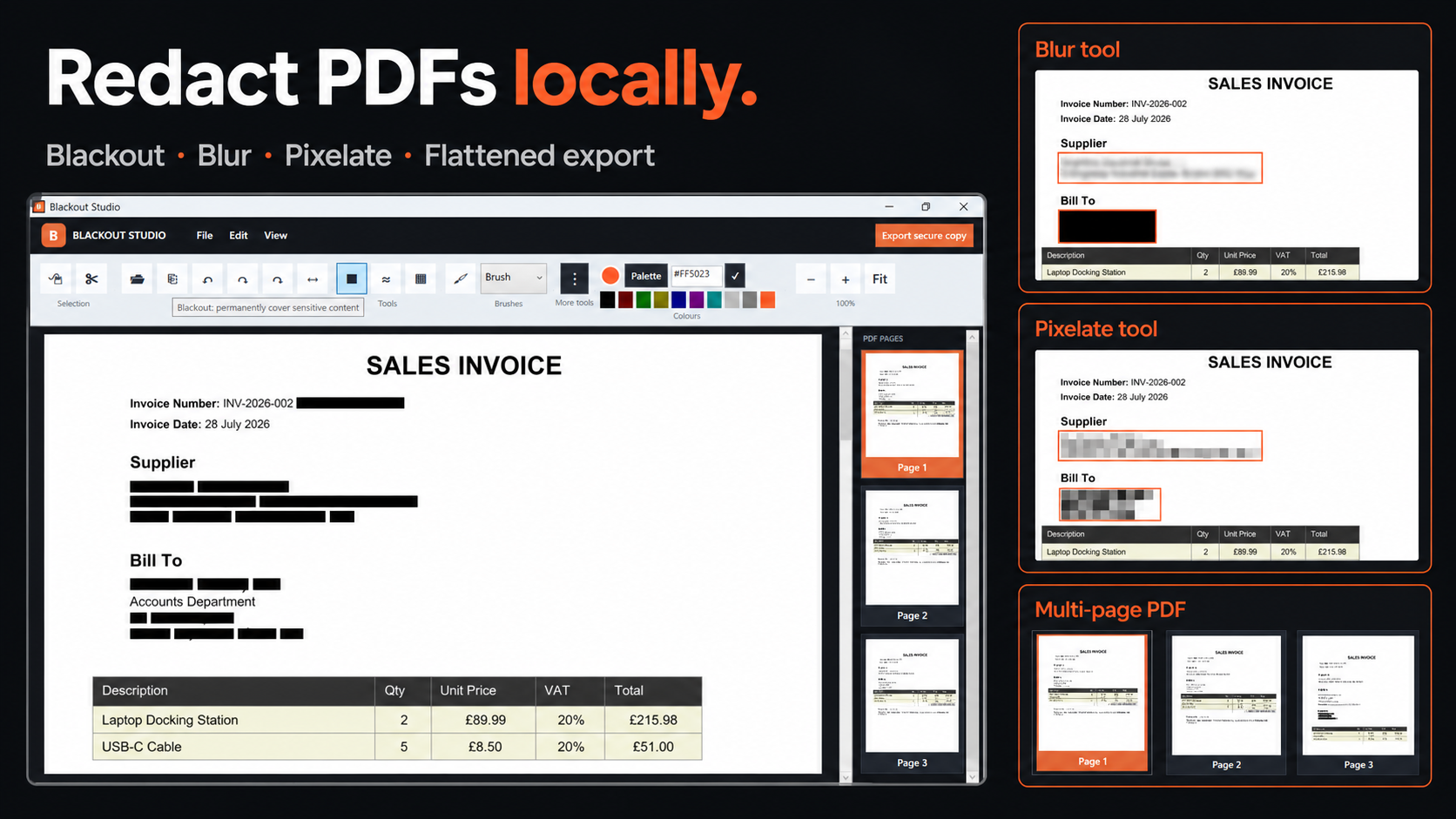
Blackout, blur, and pixelate sensitive details. Effects are flattened into your exported copy.
Choose a privacy tool and click a word in a PDF to place an accurately sized redaction.
Add arrows, boxes, highlights, text, numbered steps, colours, and freehand marks.
Select, move, resize, rotate, cut, copy, paste, undo, and redo while you work.
Open files, drag and drop, paste screenshots, use the multi-page strip, crop, zoom, and export.
No account, no upload, no cloud processing, and no AI. Your files stay on your device.
Less than a typical coffee. No subscription, recurring fees, or high-commitment costs. Buy once through Microsoft Store, with updates and support included. Regional Store prices may vary.
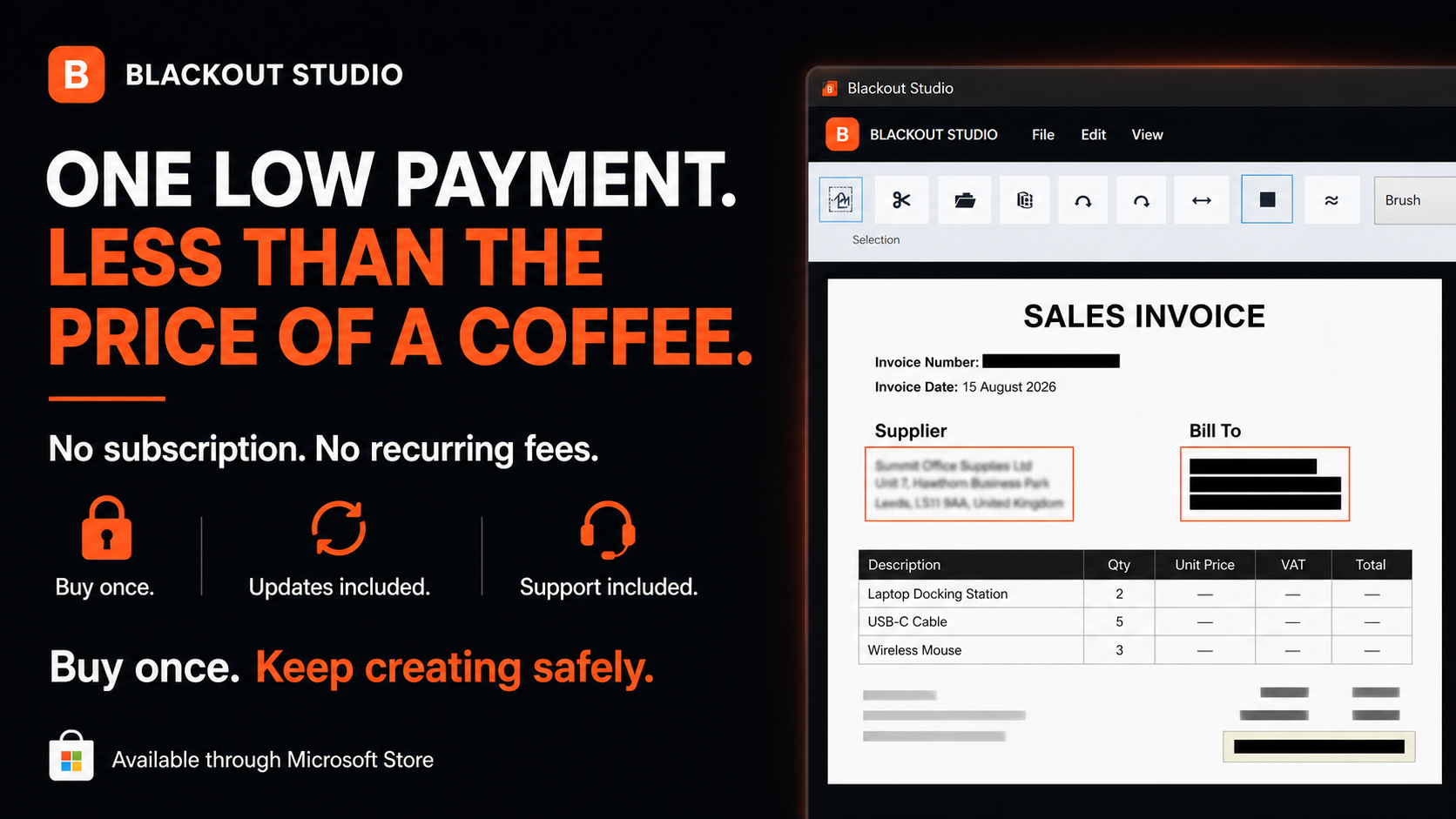
Made for the moment before a screenshot, invoice, form, or PDF leaves your device.